


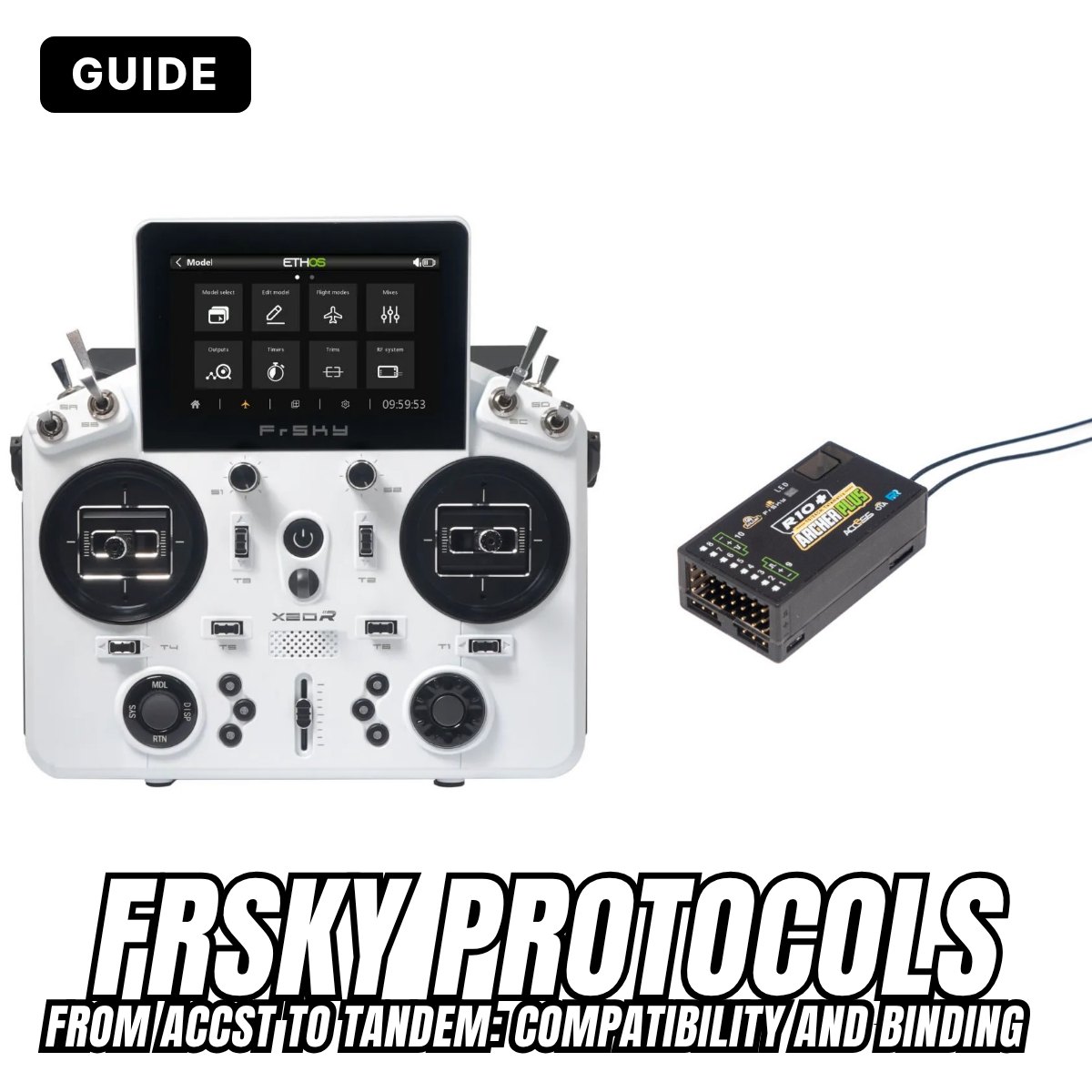
You have a FrSky radio and you've found a FrSky receiver at a good price: will they bind? Not necessarily. In fifteen years FrSky has changed the way the radio and the receiver talk to each other several times: V8, ACCST D8, ACCST D16 (in the European LBT or international FCC version, and then in version 2), ACCESS, the 900 MHz R9 system and finally the dual Tandem (TD) and Twin (TW) systems. In this guide we go through them one by one, in the order they came out: what they're for, which radios and receivers they work with, how to bind them and, above all, which ones are compatible with each other.
In short: the five golden rules
- The radio and the receiver must use the same protocol: D8, D16, ACCESS, TD or TW.
- In ACCST D16 the version matters too: v1 with v1, v2 with v2. If one is updated and the other isn't, they won't bind.
- In ACCST the region matters too: LBT (European) with LBT, FCC (international) with FCC.
- In ACCESS, TD and TW the receiver must first be registered to the radio, once only, and then bound.
- Recent radios (with ETHOS or an ISRM module) no longer do D8, and in D16 they only talk to version 2 receivers.
The origins: modules for other brands' radios
FrSky was founded in Wuxi, China, around 2010, right when 2.4 GHz was replacing the old 35 and 40 MHz crystals. At first it didn't sell complete radios: it made 2.4 GHz modules to fit into other brands' radios. Many modellers had a good 35 MHz radio and didn't want to replace it: you just slid a FrSky module into the rear bay (versions for the Futaba and JR bays) or, if you were handy, fitted a "DIY" one inside the radio, and the old transmitter moved to 2.4 GHz with very affordable receivers.
Success came with the Taranis X9D in 2013, a complete radio running the open-source OpenTX operating system, which made FrSky one of the most popular brands for aeroplanes, gliders, helicopters and drones. Since then FrSky has changed protocol several times, and every change has left radios and receivers around that can't understand each other: that's why it's worth knowing them.
A curiosity: FrSky has also made receivers for other brands' radios, such as the TFR series, compatible with Futaba FASST (the TFR6, for example). They work with Futaba radios in FASST, not FASSTest: we cover them in the Futaba protocols guide.

A good way to find your bearings is the receiver's name, which almost always tells you which family it belongs to:
| Name | Protocol | Examples |
|---|---|---|
| V8… | V8 (one-way) | V8FR, V8R7, V8FR-II |
| D… | ACCST D8 | D4R-II, D8R-II plus, D8R-XP |
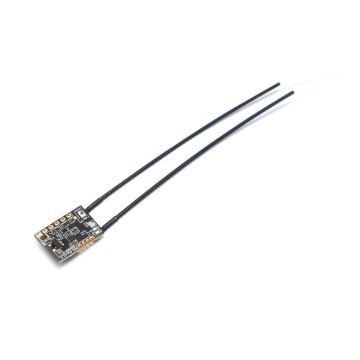
| X…, XM, XSR, RX…, S6R, S8R | ACCST D16 (some also ACCESS with different firmware) | X8R, X6R, XM+, R-XSR, RX8R Pro |
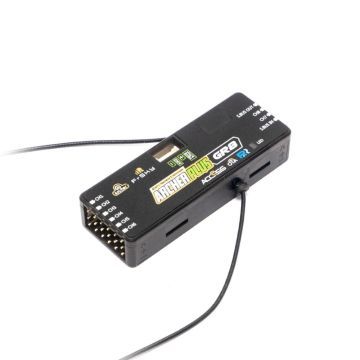
| Archer | ACCESS | Archer R4, R6, R8 Pro, SR10 Pro, GR8 |
| Archer Plus | ACCESS and ACCST D16 | R6, R8, R10+, R12+, SR8, GR6 |
| R9… | 900 MHz (868 MHz in Europe) | R9 Mini, R9 Slim+, R9 MX, R9 SX |
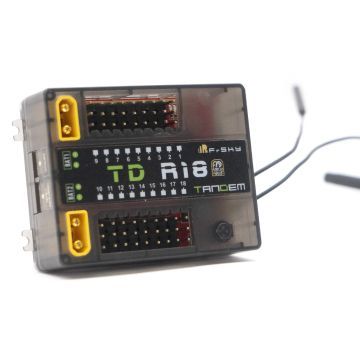
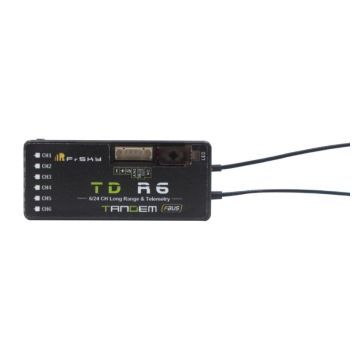
| TD… | Tandem: 2.4 GHz + 900 MHz together | TD R6, TD R10, TD R18, TD MX |
| TW… | Twin: two 2.4 GHz links together | TW R6, TW GR6, TW R12, TW MX |
| TFR… | Futaba FASST compatible | TFR6 |
V8 (2009-2010): the first system, one-way
FrSky's first system is called V8: 8 channels and no data coming back, meaning the receiver only listens. It was born with the V8FT (Futaba bay), V8JT (JR bay) and V8HT (fitted inside the radio) modules and the V8FR, V8R7 and V8R4 receivers.
Later came the V8-II receivers (V8FR-II, V8R7-II), which bind both to V8 modules and to the next generation (D) modules, still without telemetry.
Bind: on V8 receivers you hold the F/S button while connecting the battery. On V8-II receivers, to bind them to a D module, you fit a jumper between the channel 1 and 2 signal pins, power up, then switch off and remove the jumper.
Today V8 is history: Taranis radios still partly understand it through D8 mode, recent radios don't.
ACCST D8 (2010-2011): telemetry arrives
With the DJT (JR bay), DFT (Futaba bay) and DHT / DHT-U (fitted inside the radio) modules came two-way ACCST (Advanced Continuous Channel Shifting Technology): the receiver doesn't just listen, it also sends data such as battery voltage and signal quality back to the radio. This mode was later named D8, because it has 8 channels.
- Receivers: D4R-II (with CPPM output, widely used on early drones), D8R-II plus, D8R-XP, D6FR.
- Radios and modules: the D modules, then the XJT module and the first Taranis radios (X9D, X9D Plus, X9E, Q X7, X-Lite) in D8 mode.
How to bind in D8
- On the external module: both switches OFF (two-way mode). On a Taranis: Model Setup → Internal RF → Mode D8.
- Put the radio in bind: on D modules switch on the radio while holding the module's F/S button (flashing red LED); on a Taranis press [Bind].
- Connect the battery to the receiver while holding its F/S button: the red LED flashes, the bind is done.
- Switch everything off and on again: solid green LED = the receiver is receiving.
In D8 the fail-safe is set on the receiver: put the sticks where you want them and briefly press the F/S button.
D8 on today's radios. Radios with an ISRM module (from 2019: X9D Plus 2019, X9 Lite, X-Lite S and Pro) and those running ETHOS (Tandem, Twin) don't transmit D8 with their internal module. To use an old D8 receiver you need an external module, such as the XJT Lite or a multiprotocol module.
ACCST D16 (2013): 16 channels and Smart Port
Together with the Taranis X9D and its internal XJT module, ACCST D16 arrived at the end of 2013: 16 channels, full telemetry and the Smart Port (S.Port) socket for daisy-chaining sensors (voltage, current, vario, GPS, airspeed). The XJT module has three modes: D16, D8 and LR12 (12-channel long range without telemetry, for the L9R receiver).
- Receivers: X8R, X6R, X4R and X4R-SB, XSR, XM and XM+ (no telemetry, for small drones), R-XSR, RX4R, RX6R, RX8R and RX8R Pro, S6R and S8R (with gyro), G-RX6 and G-RX8 (with vario, for gliders).
- Radios: Taranis X9D, X9D Plus, X9E, Q X7, X-Lite, Horus X10 and X12S, then the radios with an ISRM module and those with ETHOS (D16 v2 only).
How to bind in D16
- On the radio: Model Setup → Internal RF → Mode D16. Check the receiver number (Receiver No., 00 to 63).
- Press [Bind]: the radio beeps repeatedly. On recent versions of OpenTX and EdgeTX it asks which channels you want on the outputs (Ch1-8 or Ch9-16) and whether you want telemetry (Telem ON or OFF).
- Connect the battery to the receiver while holding the F/S button: flashing red LED (and solid green on some receivers), the bind is done.
- Exit bind on the radio, switch the receiver off and on again: solid green LED.
On the X8R the operating mode can also be chosen at bind time with jumpers on the outputs: for example a jumper between channels 1 and 2 puts channels 9-16 on the outputs, handy for using two X8Rs on the same model to drive 16 servos. Without a jumper you use the F/S button and get channels 1-8 with telemetry. The X8R manual has the full table.
The receiver number (Model Match) is a protection: a receiver bound to model number 01 only responds to that model. If you select another model on the radio, the receiver stays still. That's intentional: it stops you flying with the wrong settings.
Fail-safe: on OpenTX and EdgeTX radios it is set from the radio (Failsafe mode in Model Setup, D16 only), or from the receiver with a short press of the F/S button, with the sticks in the position you want. If you don't set it, the receiver holds the last position: on an aeroplane with the motor running that's not a good idea.
LBT or FCC (2015): Europe and the rest of the world
Since 2015 the European 2.4 GHz standard (ETSI EN 300 328, version 1.8.1) requires radios to be "adaptive": before transmitting they must listen to check whether the channel is free (LBT, listen before talk). So FrSky split its ACCST into two:
- EU-LBT: the firmware for Europe, used by radios and receivers sold here.
- FCC (or "International"): the firmware for the rest of the world.
In ACCST LBT and FCC don't talk to each other: an FCC receiver bought abroad won't bind to a European radio, and vice versa. You fix it by updating the firmware of one of the two (radio or receiver) so they match, and binding again. When you buy an ACCST receiver, check that it's the European version (EU or LBT), like the RX8R Pro EU in our shop.
In ACCESS the problem is gone: the radio module decides the region and the receiver adapts by itself.
ACCST D16 v2 (2020): the version that divides
In January 2020 FrSky released the ACCST D16 2.0 firmware and asked everyone to update radios, modules and receivers: it fixed a fault that, under certain conditions, could make servos move uncontrollably, and strengthened data checking. The problem is that version 2 is not compatible with version 1.
- Radio module on v1 and receiver on v2 (or the other way round): they won't bind.
- You fix it by updating the side that's behind. Receivers are updated with a cable (Smart Port) or from the radio; the internal module of a Taranis from the radio itself.
- ETHOS radios (Tandem, Twin) talk D16 only with receivers on v2 or later.
- D8 isn't affected: it has no version 2.
There are also two sub-versions, 2.0 and 2.1, which according to several users don't talk to each other: to be safe, keep radios and receivers on the latest version available. "FrSky compatible" receivers from other brands usually only speak D16 v1, too.
ACCESS (2019): registration and 24 channels
In 2019 FrSky introduced ACCESS (Advanced Communication Control Elevated Spread Spectrum) with a new internal module, the ISRM, fitted to the Taranis X9D Plus 2019, X9D Plus SE 2019, X9 Lite, X-Lite S and X-Lite Pro and to the Horus X10 and X10S Express. The main new features:
- Up to 24 channels and lower latency.
- Registration: the receiver "introduces itself" to the radio once, then binds without pressing any button.
- Wireless updates (OTA) of receivers from the radio.
- Up to three receivers on the same model and several radios on the same receiver (Smart Share).
- No more LBT/FCC problems between radio and receiver.
Receivers: the Archer series (R4, R6, R8 Pro, SR10 Pro, GR8 and others), designed for ACCESS, the 900 MHz R9 receivers in ACCESS, and some D16 receivers that become ACCESS with different firmware (R-XSR, RX4R, RX6R, G-RX6, G-RX8): one or the other, depending on the firmware loaded.
How to bind in ACCESS
In ACCESS there are two steps: registration (once per radio) and bind (for each model).
- On the radio: Model Setup → Internal RF → Mode ACCESS (on ETHOS: Model → RF System, internal module on, type ACCESS). Choose the number of channels and the receiver number.
- Press [Register]. Connect the battery to the receiver while holding the F/S button: the red and green LEDs light up together.
- The receiver's name appears on the radio: confirm. Message "Registration ok". Switch off the receiver.
- Under Receiver 1 press [Bind], then switch on the receiver without pressing anything: the radio finds it and offers it to you, select it.
- Message "Bind successful": switch the receiver off and on again, solid green LED.
You only register again if you use the receiver with another radio. ETHOS also has an owner code (Owner Registration ID, 8 characters) in the RF settings: if you copy the same code onto two radios, the same receiver can be used with both.
Archer Plus (2023): ACCESS and ACCST in the same receiver
Archer Plus receivers are the ones we recommend most often today to FrSky radio owners, because they speak both ACCESS and ACCST D16 (version 2): the way you bind them decides which protocol they use.
- Bind in ACCESS: registration and then bind, as above. You get 24 channels, OTA and all the ACCESS features.
- Bind in ACCST D16: no registration, just the bind with the F/S button as in D16. Works with Taranis radios whose XJT module is updated to v2.
The range covers every use: R6, R8, R10+, R12+ (standard), SR8, SR10+, SR12+ (with stabilising gyro), GR6 and GR8 (with vario, for gliders) and the tiny RS for drones.
R9 at 900 MHz (2017): long range
For those who fly far, especially with FPV wings and drones, FrSky launched the R9 system in 2017, working below one gigahertz: lower frequencies get through obstacles and vegetation better and reach further.
- Frequency: in Europe 868 MHz (EU-LBT firmware), in the rest of the world 915 MHz (FCC). The FLEX firmware lets you choose the band according to the country.
- Power in Europe: according to the R9M module manual, 25 mW with telemetry or up to 500 mW without telemetry. If you change power you must bind again.
- Modules: R9M (2017), R9M 2019 and R9M Lite / Lite Pro, fitted in the radio's external bay.
- Receivers: R9, R9 Mini, R9 MM, R9 Slim and Slim+ (also in OTA versions), which can work in ACCST or ACCESS depending on the firmware; R9 MX and R9 SX ACCESS only.
Bind: in ACCST you choose the external R9M module on the radio, the region and the power, press [Bind] and switch on the receiver while holding the F/S button. In ACCESS (R9M 2019, R9M Lite Pro and the internal module of the Tandem radios) you register and bind as in 2.4 GHz ACCESS.
Watch out: the module and the receiver must have the same type of firmware (ACCST or ACCESS) and the same region.
Tandem TD (2021): 2.4 GHz and 900 MHz together
With the Tandem X20 in 2021 FrSky moved to the new ETHOS operating system and to a dual-band internal module, the TD-ISRM. The TD (Tandem) protocol uses 2.4 GHz and 900 MHz at the same time (868 MHz in Europe): if one band has problems, the other keeps the link.
- Radios: Tandem X20, X20S, X20R, X20RS, X20 Pro, X18, X18S, X18RS, XE (tray radio).
- TD receivers: TD R6, TD R10, TD R12, TD SR12, TD R18 and the tiny TD MX, with one 2.4 GHz and one 868 MHz antenna, latency down to 4 ms, FBUS/S.Port telemetry and OTA updates.
- The Tandem internal module also does 2.4 GHz ACCESS, 868 MHz ACCESS R9 and ACCST D16 (v2 only). It doesn't do D8.
How to bind in TD
- On the radio: Model → RF System, internal module on, type TD. Press [Register].
- Connect the battery to the receiver while holding its button: red and green LEDs on together.
- When the receiver's name and ID appear on the radio, confirm with [Register]: the LEDs flash, "Registration OK". Switch off the receiver.
- Choose one of the model's three receivers and press [Bind], then switch on the receiver without pressing anything and select it in the list.
- Solid green and flashing blue LEDs: "Bind successful". The fail-safe is then set from the radio, in the same menu.
Twin TW (2021-2022): two 2.4 GHz links
The TW (Twin) protocol is TD's sibling, but all on 2.4 GHz: the radio and the receiver keep two 2.4 GHz links active at the same time, each with its own antenna, so if one loses signal the other carries on. No 868 MHz is needed, so the receivers are simpler and smaller.
- Radios: the Twin series (Twin X Lite, Twin X14) and Tandem radios with recent firmware (the X20R and X20RS state it explicitly).
- TW receivers: TW R6, TW GR6 (with vario), TW R8, TW R12, TW SR12 (with gyro) and the tiny TW MX.
- Twin radios also do ACCESS and ACCST D16 (v2), but not TD: they don't have the 868 MHz module.
Bind: same as TD. In the RF System menu choose type TW, register the receiver by holding its button at power-up, then bind by switching it on without pressing anything.
TD or TW? The names are similar but the systems aren't. TD = two different bands (2.4 GHz + 868 MHz), needs a Tandem radio. TW = two links in the same band (2.4 GHz), works with Twin radios and with the Tandem radios that support it. A TD receiver won't bind in TW and vice versa.
Compatibility tables
Here's everything at a glance. The first table lists each protocol with the receivers that use it; the second shows which protocols FrSky radios and modules transmit. On a phone the tables scroll sideways.
Protocols and receivers
| Protocol | Band | Telemetry | Typical receivers | Registration |
|---|---|---|---|---|
| V8 | 2.4 GHz | No | V8FR, V8R7, V8FR-II | No |
| ACCST D8 | 2.4 GHz | Yes | D4R-II, D8R-II plus, D8R-XP | No |
| ACCST D16 v1 | 2.4 GHz | Yes | X8R, X6R, XSR, XM+ (without), RX8R Pro with v1 firmware | No |
| ACCST D16 v2 | 2.4 GHz | Yes | The same with v2 firmware, Archer Plus | No |
| ACCESS | 2.4 GHz | Yes | Archer, Archer Plus, ACCESS R-XSR and RX | Yes |
| R9 (ACCST or ACCESS) | 868 / 915 MHz | Yes | R9 Mini, R9 Slim+, R9 MX, R9 SX | ACCESS only |
| TD | 2.4 GHz + 868 MHz | Yes | TD R6, TD R10, TD R12, TD R18, TD MX | Yes |
| TW | Dual 2.4 GHz | Yes | TW R6, TW GR6, TW R12, TW SR12, TW MX | Yes |
Radios and modules: which protocols they transmit
| Radio / module | D8 | D16 v1 | D16 v2 | ACCESS | R9 | TD | TW |
|---|---|---|---|---|---|---|---|
| DJT, DFT, DHT modules | Yes | - | - | - | - | - | - |
| Taranis X9D, X9D Plus, X9E, Q X7, X-Lite (XJT) | Yes | v1 firmware | v2 firmware | - | With R9M module | - | - |
| X9D Plus 2019, X9 Lite, X-Lite S/Pro, X10 Express (ISRM) | No | Depends on firmware | Yes | Yes | With R9M module | - | - |
| Tandem X18, X20, X20S, XE | No | No | Yes | Yes | ACCESS | Yes | To be checked |
| Tandem X20R, X20RS, X20 Pro | No | No | Yes | Yes | ACCESS | Yes | Yes |
| Twin X Lite, Twin X14 | No | No | Yes | Yes | - | No | Yes |
| R9M module (2017) | - | - | - | - | ACCST | - | - |
| R9M 2019, R9M Lite, R9M Lite Pro modules | - | - | - | - | ACCST or ACCESS | - | - |
"Depends on firmware" and "To be checked" mean that sources disagree or that it changes from one update to the next: check your radio's RF module menu, or ask us.
How to bind: the three methods
To sum up, with FrSky you bind in three different ways, depending on the protocol. The drawing puts them side by side.

Whatever the protocol, a few good habits always apply:
- Radio and receiver not too close: at least half a metre apart; FrSky manuals advise against binding with the antennas touching.
- Choose the protocol and receiver number first on the radio, then bind.
- After binding, set the fail-safe and test it: switch off the radio with the model held securely and check what the motor and servos do.
- Do a range check (Range on the radio): at reduced power you must have full control at about 30 metres.
- Keep radios and receivers updated to the same firmware version.
Other brands' radios and multiprotocol modules
Many radios from other brands (RadioMaster, Jumper and similar) and the 4-in-1 multiprotocol modules speak the older FrSky protocols:
- FrSky V8, D8 and LR12: yes.
- ACCST D16 v1 and v2: yes, each with its own menu entry (usually "FrskyX" for v1 and "FrskyX2" for v2), in FCC and EU-LBT variants.
- R9: only with modules that also have the 900 MHz chip.
- ACCESS, TD and TW: no, they're reserved for FrSky radios and modules.
Conversely, you can fit external modules from other systems (for example TBS Crossfire or ExpressLRS) to FrSky radios, but that's another story: in that case you need that system's receivers.
Receiver won't bind? The most common causes
- LBT and FCC mixed (in ACCST): the receiver comes from abroad or the radio was updated with the wrong firmware. Put both on the same region and bind again.
- D16 v1 and v2 mixed: the most frequent cause on Taranis radios. Check the module version and the receiver version and update the one that's behind. ETHOS radios need v2 receivers.
- ACCESS receiver not registered: without registration the bind can't find the receiver. Do [Register] first while holding the F/S button.
- Different receiver number: the receiver is bound to another model on the radio. Select the right model or bind again.
- Old D8 receiver on a recent radio: ISRM and ETHOS radios don't do D8 with the internal module. You need an external module.
- TD on a Twin radio: it can't work, the 868 MHz is missing. Twin radios need TW, ACCESS or ACCST D16 v2 receivers.
- Wrong channels: in D16 you chose Ch9-16 when binding and the outputs carry channels 9-16. Bind again choosing Ch1-8.
- Radio and receiver too close: move them at least half a metre apart and try again.
FrSky receivers in our shop
All the receivers are in the receivers for FrSky category. Here are the main ones, by protocol:
- Archer Plus (ACCESS and ACCST D16): R6, R8, R10+, R12+; with gyro SR8, SR10+, SR12+; with vario GR6, GR8.
- Tandem TD: TD R10, TD R12, TD R18, TD MX.
- Twin TW: TW R6, TW GR6, TW R12, TW SR12, TW MX.
- R9 at 868 MHz: R9 Slim+ OTA, R9 SX ACCESS; modules R9M 2019 and R9M Lite.
- ACCST D16: X8R, RX8R Pro (European version, also does D8), XM+. Before buying, check whether your radio is on v1 or v2.
If you're looking for a new radio you'll find the Tandem X20RS and X20R (TD, TW, ACCESS, ACCST D16), the Tandem X18 and XE, the Twin X14 and all the other radio systems.
The information in this guide comes from FrSky's manuals and official pages and from the OpenTX and EdgeTX documentation. The years are when the first products came out and are approximate. FrSky often updates firmware and menus: if in doubt, your radio's and receiver's manuals are what count.
Not sure whether a receiver is right for your radio? Come and see us at our shops in Passo Corese and Mogliano Veneto or write to us with your radio model and, if you know it, the firmware: we'll tell you which receiver to get.