


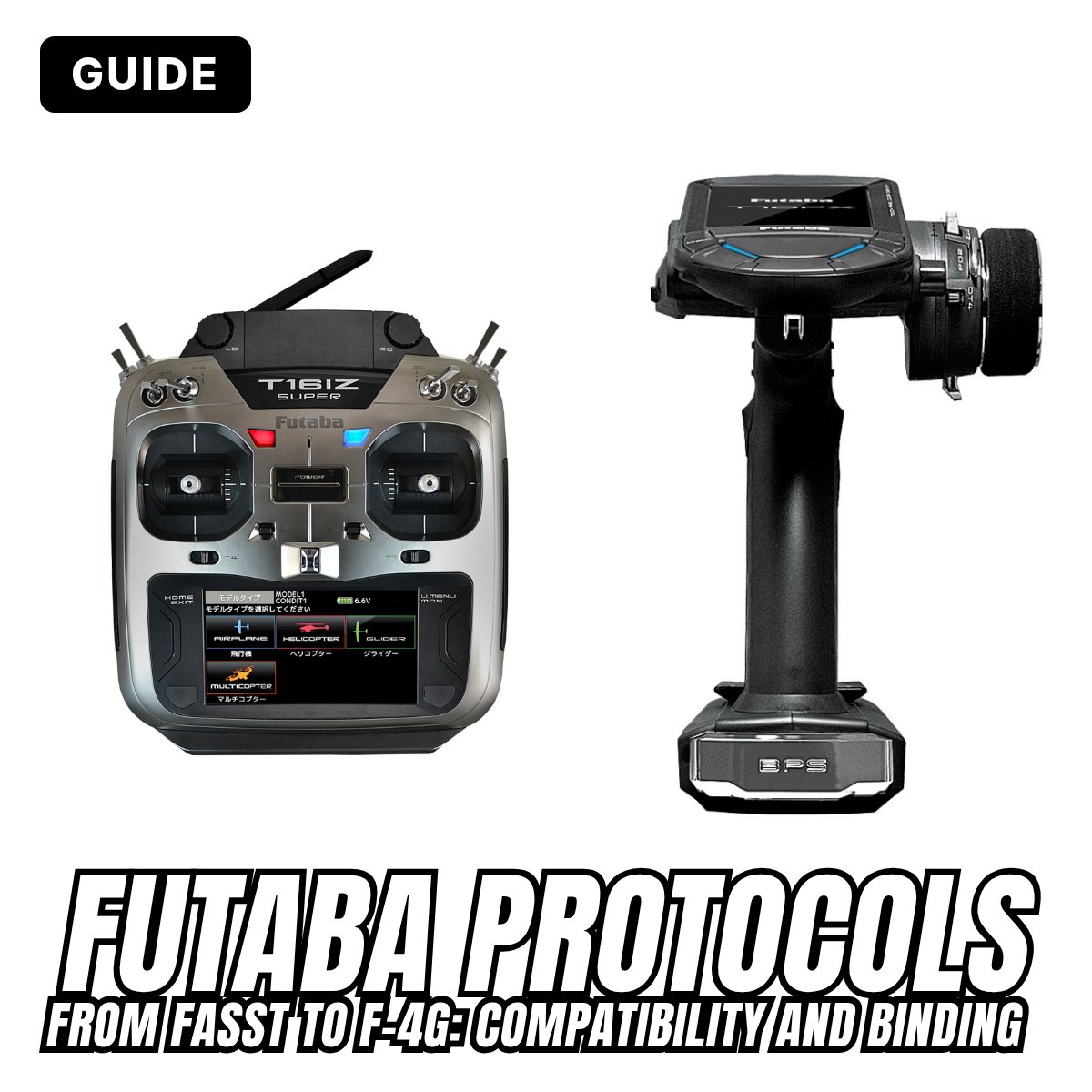
You've found a Futaba receiver at a good price, but will it work with your radio? With Futaba the answer depends on the transmission protocol, the "language" the radio and the receiver use to talk to each other. In almost twenty years of 2.4 GHz, Futaba has created quite a few: FASST, FHSS, S-FHSS, FASSTest, T-FHSS, T-FHSS SR and F-4G, in versions for aircraft and for cars that often can't understand each other. In this guide we go through them one by one, in the order they came out: what they're for, which radios and receivers they work with, how to bind them and, above all, which ones are compatible.
In short: the four golden rules
- The receiver must understand the same protocol the radio is transmitting, in the same variant.
- Systems for aircraft and for cars don't mix, even when they have the same name. The only exceptions are FHSS and S-FHSS.
- Newer radios also transmit several older protocols; receivers, on the other hand, only understand their own (a few understand two).
- Every time you change protocol on the radio you must bind again.
Before 2.4 GHz: the crystal era
Until the mid-2000s radio systems worked on 35 and 40 MHz (72 MHz in America). Each radio transmitted on a single channel, set by a pair of crystals: one in the radio and a matching one in the receiver. At the flying field you clipped your peg onto the frequency board, because two radios switched on with the same channel meant a model out of control.
Futaba transmitted in PPM (the classic FM) or in PCM, digital and better protected against interference: first PCM1024, then the 2048-step PCM G3 of top-end radios such as the 14MZ. Towards the end of that period synthesised receivers arrived too, with no crystal: on the R319DPS you chose the channel with two switches, while on the R5014DPS and R5114DPS the radio set it directly.
2.4 GHz changed everything. The radio and the receiver keep hopping from one frequency to another and recognise each other through a unique code (the ID) that the receiver learns once and for all: this is the bind, also called link, the step that took the place of crystals. No more frequency board and no more channels to coordinate: dozens of radios can be switched on at the same time.

Air or surface: the first thing to know
Futaba splits its systems into two families: air (aeroplanes, gliders, helicopters, drones: the stick radios) and surface (cars and boats: the pistol-grip radios, with wheel and trigger). Car receivers can often be recognised by the word "Car" in the name.
Watch out for identical names: air FASST and surface FASST are different systems, and the same goes for T-FHSS Air and surface T-FHSS. An aircraft receiver won't bind to a car radio even if the box shows the same protocol. The only exceptions are the two simplest systems, FHSS and S-FHSS, which are the same in the air and on the ground: a car radio in S-FHSS also drives an S-FHSS aircraft receiver, handy for example on a boat or a model with lots of channels.
A good way to find your bearings is the first digit of the receiver's model code: it isn't a written rule and there are exceptions, but it works almost every time.
| Code | Protocol | Examples |
|---|---|---|
| R6… | FASST (air and surface) | R617FS, R6008HS, R6208SB, R6303SB; for cars R603FS, R614FS |
| R20…, R2… | FHSS and S-FHSS | R2004GF, R2006GS, R2008SB, R202GF, R203GF, R204GF-E |
| R70…, R7… | FASSTest (air) | R7008SB, R7208SB, R7308SB, R7314SB |
| R30… | T-FHSS Air (air) | R3006SB, R3008SB, R3106GF |
| R3x4… | Surface T-FHSS (and SR) | R304SB, R304SB-E, R334SBS |
| R404… | F-4G (surface) | R404SBS, R404SBS-E |
The final letters help too: SB means an S.BUS output (or S.BUS2, the telemetry one), and a final -E usually means a built-in antenna, designed for electric models. One exception to remember: the R603GF car receiver is FHSS, despite the 6.
FASST (2007): Futaba's first 2.4 GHz system
FASST (Futaba Advanced Spread Spectrum Technology) arrived in 2007, almost at the same time for cars and aircraft. For years it was the reference system and it is still available as a mode on many radios, although it has no telemetry.
Air FASST: 7CH and MULTI
It debuted with the 6EX and with the TM-7, TM-8, TM-10 and TM-14 modules, which brought 2.4 GHz to the 35/40 MHz radios of the time; then came the 7C, 8FG, 12FG, 14MZ, 14SG, 18SZ and others. It has two variants, which you choose on the radio according to the receiver:
- FASST 7CH: up to 7 channels. Receivers R617FS, R6004FF, R616FFM, R6106HF. With these, fail-safe only works on channel 3, the throttle.
- FASST MULTI: more channels (up to 18 on the bigger radios). Receivers R608FS, R6008HS, R6014FS, R6014HS, R6208SB.
Some receivers accept both variants: R6202SBW, R6203SB, R6303SB, as well as some FASSTest receivers that can be switched to FASST (more on these later). The R6008HS and R6014HS also have a High Speed mode, updating every 7 ms instead of 14, to be used with digital servos only.
Surface FASST: C1 and C2
For cars, FASST was born with the 3PM and the 4PK, in two different types:
- FASST C1: 3 channels, receivers R603FS and R603FF; radios 3PM, 3PM-X, 3GR, 4PK.
- FASST C2: 4 channels, receivers R614FS, R614FF, R604FS; radios 4PK, 4PKS and later 4PX and 7PX.
On the 4PK you choose the type in the menu (RX TYPE: C1 or C2), then switch the radio off and on again. Here too there is a High Speed mode, for Futaba digital servos only.
How to bind in FASST
In FASST you bind from the receiver: the radio has no dedicated menu.
- Put the radio and the receiver close together, within one metre.
- Switch on the radio, in the right variant (7CH or MULTI, C1 or C2).
- Switch on the receiver.
- Hold down the receiver's Link button (or Easy Link / ID SET) for more than 2 seconds and release it.
- When the LED turns solid green the bind is done: switch off, switch on again and check that the servos respond.
On the R617FS used with the TM-7 and TM-8 modules, a short press (1 to 2 seconds) only stores the fail-safe position, while more than 2 seconds rebinds it. On 3PM car radios, the throttle fail-safe is set instead by holding the trigger in the position you want and pressing the radio's F/S button.
FASST in Europe since 2015. Since 1 January 2015, FASST and S-FHSS radios sold in Europe transmit in "adaptive" mode (LBT, listen before talk), as the standard requires. They keep working with genuine Futaba receivers, but "FASST compatible" receivers from other brands may not bind. On some recent radios, such as the 16IZ, FASST can't be selected at all in the European version.
FHSS (2009-2010): the simple radios
Around 2010 Futaba introduced a simpler, cheaper system, FHSS, for its entry-level radios: 2PL, 3PL and 3PRKA for cars, 4YF for aircraft. It has 4 channels, no telemetry, and it works both in the air and on the ground: the R2004GF receiver is fine for both.
Bind: as in FASST, from the receiver's button. Radio and receiver within one metre, switch on the radio, switch on the receiver, hold down the Link button until the LED turns solid green.
Compatibility: S-FHSS receivers also work with FHSS radios (for example R2104GF and R2006GS). The other way round, FHSS-only receivers (R603GF, R2004GF) don't work in S-FHSS: on radios that have both modes, such as the 4PL, they must be used in FHSS. No compatibility with FASST.
S-FHSS (2010-2011): the all-rounder
S-FHSS is the evolution of FHSS and became Futaba's "basic" protocol: it arrived on cars with the 4PL and on aircraft with the 6J and 8J, and since then it has been available as a mode on almost every Futaba radio, including the latest ones. It handles up to 8 channels and has no telemetry.
- Speed: normal mode updating every 13.6 ms, for all servos; High Speed mode every 6.8 ms, with Futaba digital servos only. The receiver detects the mode by itself.
- Aircraft receivers: R2006GS, R2106GF, R2008SB (with S.BUS output), R2001SB.
- Car receivers: R202GF, R203GF, R204GF-E, R2104GF.
- Aircraft radios: 6J, 8J and, as an extra mode, 6K, 10J, 12K, 14SG, 16SZ, 16IZ, 18SZ, 18MZ, 32MZ, T26SZ.
- Car radios: 4PL, 4PLS, 3PV, 4GRS, 4PV, 4PM, 4PX, 7PX, T10PX, 10XCR.
Together with FHSS, it is the only protocol where air and surface mix: car radios in S-FHSS also drive aircraft receivers such as the R2006GS or the R2008SB.
How to bind in S-FHSS
- Radio and receiver within 50 cm.
- Switch on the radio. If it has several protocols, first choose S-FHSS in the system menu.
- Switch on the receiver.
- Hold down the receiver's Link button for more than 2 seconds: the LED turns solid green.
- Move the sticks or the wheel and check that the servos respond.
That last step isn't a detail: with many S-FHSS radios switched on in the same place (at the field or the track) the receiver could bind to somebody else's radio while still showing solid green. If that happens, move away and try again. If the ID isn't read, try bringing the antennas even closer.
In S-FHSS the battery fail-safe is fixed at 3.8 V, designed for a 4-cell NiMH receiver pack (4.8 V): with other batteries it won't give a reliable warning.
FASSTest (2012): telemetry for aircraft
With FASSTest Futaba brought two-way telemetry to its aircraft systems. It debuted with the 18MZ and the R7008SB receiver, then arrived on the 14SG, 18SZ, 16SZ, 16IZ, 32MZ and T26SZ (not on the 10J). Sensors plug into the receiver's S.BUS2 port: voltage, temperature, rpm, altitude, GPS and more, with the data shown on the radio's screen.
The modes
- FASSTest 18CH: 16 proportional channels plus 2 on/off, full telemetry with all sensors, option to use two receivers.
- FASSTest 12CH: 10 plus 2 channels, faster response, but receiver voltage is the only telemetry. With some receivers (R7008SB, R7108SB, R7308SB) analogue servos can't be used. The 14SG also has a FASSTest 14CH variant.
- FASSTest 26CH: on the latest radios (T26SZ and 32MZ WC) it goes up to 24 plus 2 channels and lets you bind up to three receivers.
FASSTest doesn't drive FASST receivers. However, FASSTest radios almost always have the FASST modes too, and several FASSTest receivers (R7003SB, R7006SB, R7108SB, R7014SB, R7018SB) can be switched to FASST with a button procedure explained in their manual. The R7008SB, on the other hand, only works in FASSTest.
How to bind in FASSTest
This is where things change: the bind starts from the radio and there's no button to press on the receiver.
- Radio and receiver within 50 cm, receiver switched off. Switch on the radio.
- In the Linkage menu open System type and choose the mode (18CH, 12CH...). Also choose Single or Dual, depending on whether you use one or two receivers.
- Set the battery fail-safe voltage (3.8 V by default, adjustable from 3.5 to 8.4 V): it is written into the receiver during the bind, so if you change it later you have to bind again.
- Press Link: the radio gives a continuous tone and waits.
- Switch on the receiver: within a couple of seconds the LED goes from flashing red to solid green. If the radio shows an error, bring them closer and try again.
With two receivers (Dual mode) you bind the main one first and then the second, one at a time; telemetry only comes from the main one. The latest receivers with the DUAL RX function (such as the R7308SB and R7314SB) can also work as a pair connected by a cable, to have a backup receiver: you enable it from the receiver, following its instruction sheet.
Model ID: why the receiver "stops responding". In FASSTest and T-FHSS the receiver also stores the model memory it was bound with. If you select another model on the radio, the receiver stays still: it's a protection against flying with the wrong settings and it can't be switched off. Before suspecting a fault, check which model is selected.
T-FHSS Air (2014): telemetry for everyone
T-FHSS Air brings S.BUS2 telemetry to the more affordable aircraft radios as well: it arrived in 2014 with the 10J and the R3008SB receiver, then with the 6K, 12K and 6L. The high-end radios transmit it too: 16SZ, 16IZ, 18SZ, 32MZ, T26SZ.
- Channels: 10 on the 10J, 14 on the 12K, up to 18 on the bigger radios.
- Receivers: R3001SB, R3004SB, R3006SB, R3008SB with telemetry; the R3106GF is the version without telemetry, supplied for example with the 6L.
- Radios: the 6K, 10J and 12K do T-FHSS Air and S-FHSS; the 6L only T-FHSS Air.
Bind: same as FASSTest. Radio in Link mode from the menu, receiver within 50 cm that you switch on and that turns solid green in about 3 seconds. The battery fail-safe is set on the radio before the bind. Model ID applies here too.
Compatibility: T-FHSS Air receivers work only in T-FHSS Air. They don't work in S-FHSS, FHSS, FASST, FASSTest, nor with surface T-FHSS. A 6K in S-FHSS drives an R2006GS, but for the R3008SB it must be set to T-FHSS.
Surface T-FHSS (2013): telemetry at the track
A year before the aircraft version, Futaba brought telemetry to cars with T-FHSS: it debuted in 2013 with the 4PX and the R304SB receiver. With S.BUS2 sensors you can read voltage, motor temperature and rpm. Like the others, it has a normal mode and a High Speed mode for digital servos.
- Receivers: R304SB, R304SB-E (built-in antenna, electric models only), R314SB, R324SBS, and the R334SBS and R334SBS-E, which also do SR.
- Radios: 4PLS, 4GRS, 3PV, 4PV, 4PX, 4PXR, 4PM, 4PM Plus, 7PX, 7PXR, T10PX, T7XC, 10XCR.
How to bind in surface T-FHSS
Here both the radio and the receiver play a part, against the clock.
- Radio and receiver within 50 cm, with the antennas not touching. Switch on the receiver and the radio.
- Start the Link on the radio (on the 4PM: LINK item, hold down the JOG for about a second). "PUSH RX LINK SW" appears and a 20-second countdown starts.
- Within that time hold down the receiver's button for about 2 seconds.
- The LED flashes and then stays on; the radio shows "COMPLETE" and the stored receiver ID.
- Switch off and on again. If time runs out, the radio shows "TIME OUT": try again.
Each model memory on the radio remembers only one receiver: for two cars you need two memories, each one bound to its own receiver.
Compatibility: surface T-FHSS is not compatible with T-FHSS Air, nor with S-FHSS, FHSS, FASST or FASSTest. An R304SB won't bind to a 6K or a 10J, and an R3008SB won't bind to a 4PM.
T-FHSS SR (2017): the fastest response
In 2017, with the 7PX and the R334SBS receiver, came T-FHSS SR (Super Response): a much faster mode, designed for racing, where every millisecond between the wheel and the tyres counts.
- SR servos are a must on the channels where you enable SR: these are Futaba SV-series servos set to SR mode (for example BLS371SV, BLS471SV, BLS571SV, BLS671SV, S9372SV, S9373SV). A normal servo on an SR channel may get damaged.
- SR is enabled channel by channel: on channels left in normal mode any servo and the speed controller (ESC) are fine.
- No telemetry in SR mode: the S.BUS2 port isn't used in SR.
- Receivers: R334SBS and R334SBS-E, which also work in normal T-FHSS with telemetry. The R304SB and R304SB-E don't do SR.
- Radios: 7PX, 7PXR, 4PM, 4PM Plus, T10PX, T7XC, 10XCR. On the 3PV, 4GRS, 4PLS, 4PV and 4PX the R334SBS works, but only in normal T-FHSS.
Bind: first choose the T-FHSS SR system on the radio, then proceed as for surface T-FHSS (Link on the radio, 20 seconds, receiver button). If you switch from T-FHSS to SR or vice versa you have to bind again.
F-4G (2021): the fourth generation
The latest system for cars is F-4G (Futaba 4th Generation), which arrived at the end of 2021 with the T10PX. Since then it has also come to the 10XCR, a stick radio for cars, and the 6PV. The big news is that it combines an even faster response with telemetry, something SR didn't allow.
- Channels: up to 10 with S.BUS2.
- Response modes per channel: UR (Ultra Response, with UR servos), SR (UR or SR servos), digital and analogue. UR mode needs R404SBS receivers from version 2 onwards.
- Receivers: R404SBS and R404SBS-E (built-in antenna, electric models only). There are also compatible receivers from other brands, such as the Ruddog RR404.
One-way compatibility: an F-4G receiver only understands F-4G. F-4G radios such as the T10PX and the 10XCR, however, also transmit T-FHSS SR, T-FHSS and S-FHSS: if you move to the new radio you can keep using the receivers you already have.
How to bind in F-4G (T10PX)
- Before binding, set the battery fail-safe in the Linkage menu: it is written into the receiver during the bind, so if you change it later you have to bind again.
- Radio and receiver within 50 cm, antennas not touching. Switch on the receiver.
- Tap Link on the screen: the radio beeps and opens a 20-second window.
- Hold down the receiver's button for at least 2 seconds.
- The LED goes from flashing red to solid green, the receiver beeps and the radio shows the receiver ID.
- Switch off and on again: the response mode and the fail-safe only become active after the restart. If the radio shows "Receiver not found", bring them closer and try again.
Compatibility tables
Here's everything at a glance. The first table lists each protocol with the receivers that use it; the other two show which protocols each radio transmits. On a phone the tables scroll sideways.
Protocols and receivers
| Protocol | For | Telemetry | Typical receivers | Also binds with |
|---|---|---|---|---|
| FASST 7CH / MULTI | Air | No | R617FS, R6008HS, R6208SB, R6303SB | FASSTest radios in FASST mode |
| FASST C1 / C2 | Surface | No | R603FS (C1), R614FS (C2) | Surface FASST radios only |
| FHSS | Air and surface | No | R2004GF, R603GF | Not in S-FHSS |
| S-FHSS | Air and surface | No | R2006GS, R2008SB, R203GF, R204GF-E | FHSS radios; car and aircraft radios |
| FASSTest | Air | Yes | R7008SB, R7208SB, R7308SB, R7314SB | Some also in FASST (R7003SB, R7006SB, R7108SB) |
| T-FHSS Air | Air | Yes | R3006SB, R3008SB, R3106GF (without) | T-FHSS Air only |
| Surface T-FHSS | Surface | Yes | R304SB, R304SB-E, R334SBS | Surface T-FHSS only |
| T-FHSS SR | Surface | No, in SR | R334SBS, R334SBS-E | Normal T-FHSS too |
| F-4G | Surface | Yes | R404SBS, R404SBS-E, Ruddog RR404 | F-4G only |
Aircraft radios: which protocols they transmit
| Radio | FHSS | S-FHSS | FASST | FASSTest | T-FHSS Air |
|---|---|---|---|---|---|
| 6J, 8J | Yes | Yes | - | - | - |
| 6K, 10J, 12K | - | Yes | - | - | Yes |
| 6L | - | - | - | - | Yes |
| 14SG | - | Yes | Yes | Yes (14CH, 12CH) | Depends on firmware |
| 18MZ | - | Yes | Yes | Yes | WC only |
| 16SZ, 18SZ | - | Yes | Yes | Yes | Yes |
| 16IZ, 16IZ Super | - | Yes | Not in Europe | Yes | Yes |
| 32MZ | - | Yes | Yes | Yes (26CH on the WC) | Yes |
| T26SZ | - | Yes | - | Yes, 26CH too | Yes |
FASST on the latest aircraft radios depends on the version and the country: always check the System type menu on your radio.
Car radios: which protocols they transmit
| Radio | FASST | FHSS | S-FHSS | T-FHSS | SR | F-4G |
|---|---|---|---|---|---|---|
| 3PM, 3GR | C1 | - | - | - | - | - |
| 4PK, 4PKS | C1, C2 | - | - | - | - | - |
| 2PL, 3PL, 3PRKA | - | Yes | - | - | - | - |
| 4PL | - | Yes | Yes | - | - | - |
| 3PV | - | Yes | Yes | Yes | - | - |
| 4PLS, 4GRS, 4PV | - | - | Yes | Yes | - | - |
| 4PX, 4PXR | C2 | - | Yes | Yes | - | - |
| 4PM, 4PM Plus | - | - | Yes | Yes | Yes | - |
| 7PX, 7PXR | C2 | - | Yes | Yes | Yes | - |
| T7XC | - | - | To be checked | Yes | Yes | - |
| T10PX, 10XCR | - | - | Yes | Yes | Yes | Yes |
Some car radios (4PM, 7PX, T10PX) also have the protocol dedicated to Kyosho Mini-Z, which we don't cover here.
How to bind: the three methods
To sum up, with Futaba you bind in three different ways, depending on the protocol. The drawing puts them side by side.

Whatever the protocol, a few good habits always apply:
- Radio and receiver close together (50 cm - 1 m) but with the antennas not touching, and away from other radios that are switched on.
- Choose the protocol first on the radio, then bind: if you change protocol afterwards, you have to bind again.
- On systems with telemetry, set the battery fail-safe first, because it is written into the receiver during the bind.
- After binding, switch off and on again and test every control, including the fail-safe: switch off the radio with the model held securely and check what the motor and servos do.
- Each model gets its own memory on the radio and its own bound receiver.
Receiver won't bind? The most common causes
- Wrong protocol on the radio: this is the number one cause. Check the System type (or RX TYPE) menu and the table above.
- Aircraft receiver on a car radio (or the other way round) with FASST or T-FHSS: they will never bind, even if the protocol name is the same.
- Wrong variant: FASST 7CH instead of MULTI, C1 instead of C2, FASSTest 12CH instead of 18CH. The bind may even succeed, but the receiver won't work as it should.
- Wrong model selected: in FASSTest and T-FHSS Air the receiver only responds to the model memory it was bound with.
- Time ran out: on car systems (T-FHSS, SR, F-4G) you have 20 seconds to press the receiver's button.
- Too close or too far: within 50 cm - 1 m, antennas not touching. In S-FHSS, if the ID isn't read, try bringing them even closer.
- Servos in SR mode on a normal receiver or normal servos on an SR channel: in the first case they don't move, in the second you risk damaging them.
- A "compatible" receiver from another brand with a European FASST radio built from 2015: it may not work because of LBT mode.
Futaba receivers in our shop
All the receivers are in the receivers for Futaba category. Here are the main ones, by protocol:
- Aircraft S-FHSS: R2006GS, R2008SB.
- Car S-FHSS: R202GF, R203GF, R204GF-E.
- FASSTest: R7201SB, R7206SB, R7208SB, R7308SB, R7314SB.
- T-FHSS Air: R3006SB, R3008SB, R3106GF.
- Surface T-FHSS: R304SB, R304SB-E.
- T-FHSS SR: R334SBS.
- F-4G: R404SBS, R404SBS-E and the compatible Ruddog RR404.
- FASST: the compatible FrSky TFR6, 7 channels.
If you're looking for a new radio, you'll find radio systems for aircraft and helicopters and car radio systems.
The information in this guide comes from Futaba manuals and the official compatibility tables. The years are when the first products came out and are approximate. If in doubt, your radio's manual is what counts: Futaba often updates it along with the firmware.
Not sure whether a receiver is right for your radio? Come and see us at our shops in Passo Corese and Mogliano Veneto or write to us with your radio model: we'll tell you which receiver to get.